Clearer Data Source Attribution, from Selection to Results
Published on November 28, 2026

Check data sources before fetching data
When you search for and select data from FRED or Twelve Data on the Data page, you can now check the Data sources section before fetching the data.
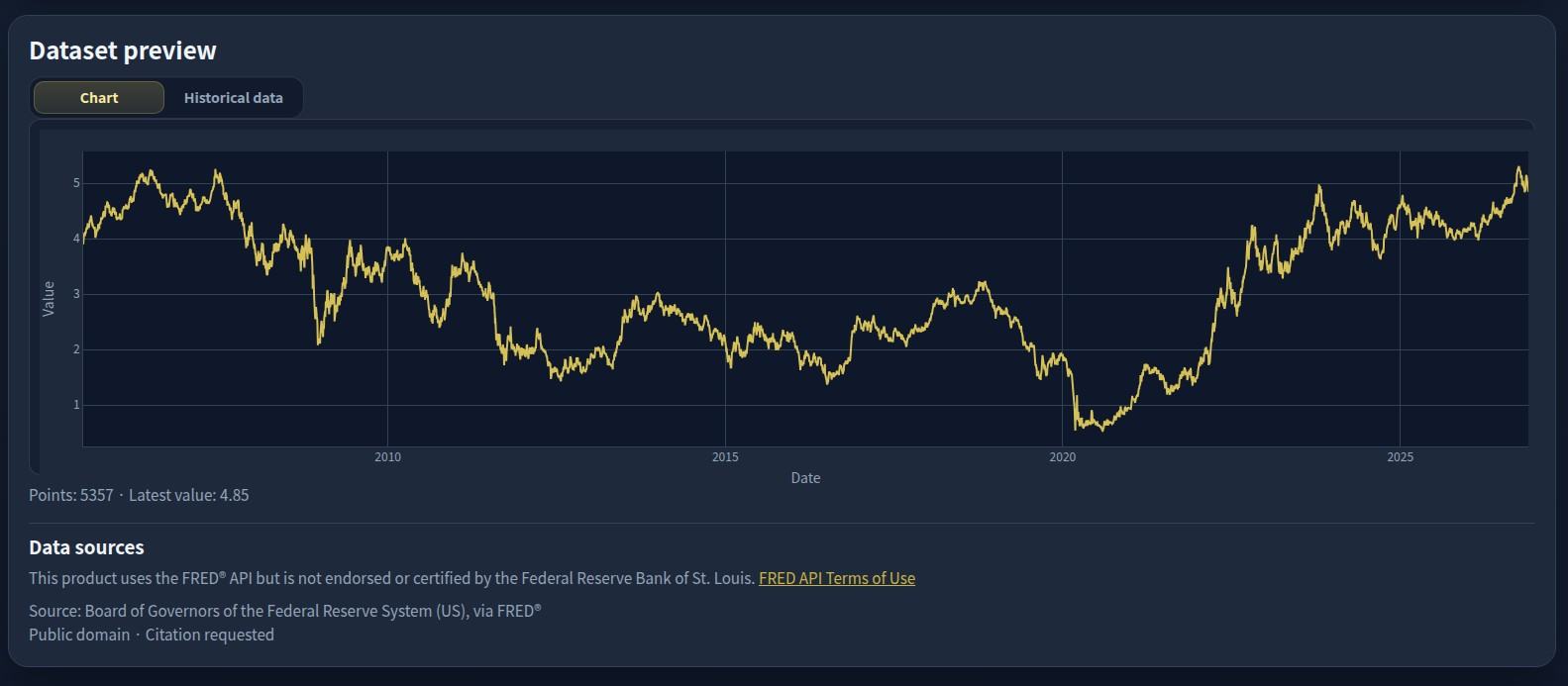
For example, when you select the 10-year U.S. Treasury yield (DGS10) via FRED, FactDecode displays information about the original data provider and citation guidance, along with the FRED notice and a link to its terms of use. For market data from Twelve Data, FactDecode displays the data provider attribution and a link to its official website.
For FRED series whose original data provider and citation guidance have been verified, FactDecode displays that information. For other series, FactDecode indicates that the original data provider has not been verified.
We've also improved the Data catalog on narrow screens, such as smartphones, so that horizontal scrolling stays within the table rather than extending across the entire page. You can still scroll horizontally within the table as before.
Review the sources of fetched data
In Data Preview, source attribution is displayed below the data in both the Chart and Historical Data tabs.
The source information remains available when you switch tabs, making it easier to review the data and its provider on the same screen.
Review input data sources in Results
In Results, the Data sources section lists FRED and Twelve Data datasets whose sources can be identified from the selected Run's recorded inputs.
The input dataset details are grouped into an expandable section that shows the number of datasets and is collapsed by default. You can expand it whenever you need more information. Depending on the providers represented, the FRED notice and terms of use link, as well as the Twelve Data attribution and official website link, remain visible even when the details are collapsed.
In the regular Results view, when source information is available, Data sources appears immediately after Data Freshness in the Contents menu. Select it to jump directly to the corresponding section.

When you expand the details, the datasets are grouped by data provider. If the same dataset is associated with multiple factors, it appears only once in the source list.
The list covers recorded analysis inputs, including candidate datasets. It does not mean that every dataset shown was used in the final model.

Impact on existing data and analysis results
This update improves source attribution and usability. It does not change how data is fetched, the analysis logic, or saved analysis results.
For previous Runs, source attribution is displayed wherever the recorded input information is sufficient to identify the source. If that information is incomplete, some or all source attribution may be unavailable. You do not need to rerun existing analyses to continue using their saved results after this update.
User-managed data imported from CSV files is not included in FRED or Twelve Data attribution.